Keep your Mac in mint condition.

Tidymint is a free, open-source Mac cleaner built for people who work with AI tools. Clear caches and System Data, remove duplicate files, uninstall apps completely and see exactly what fills your disk.

✓ Free and open source (MIT)✓ Everything goes to the Trash first✓ Works offline, no tracking
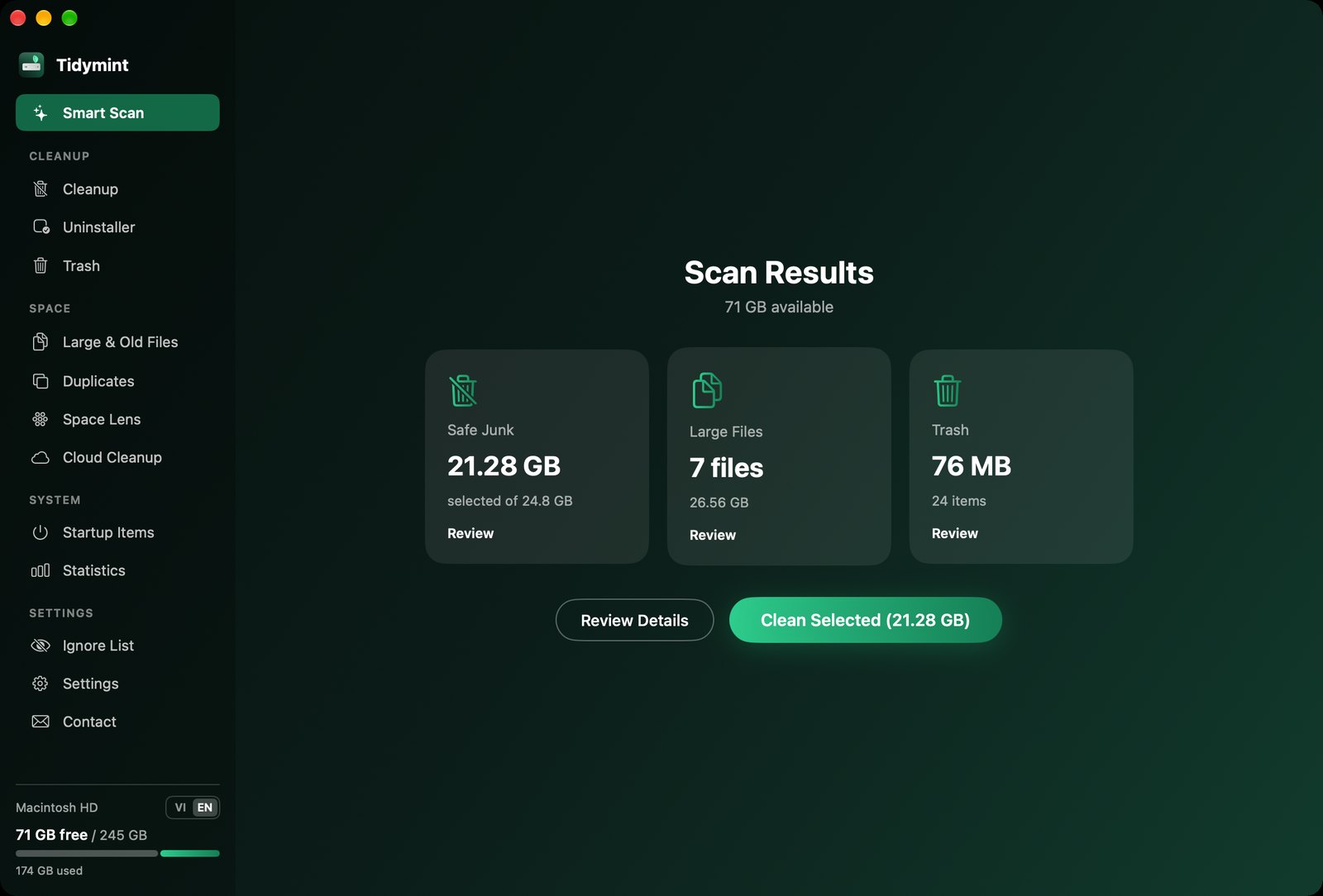
Tidymint Smart Scan results: 21 GB of safe junk found

Powerful, and always under your control

One scan finds the clutter. You decide what goes. Screenshots use sample data.

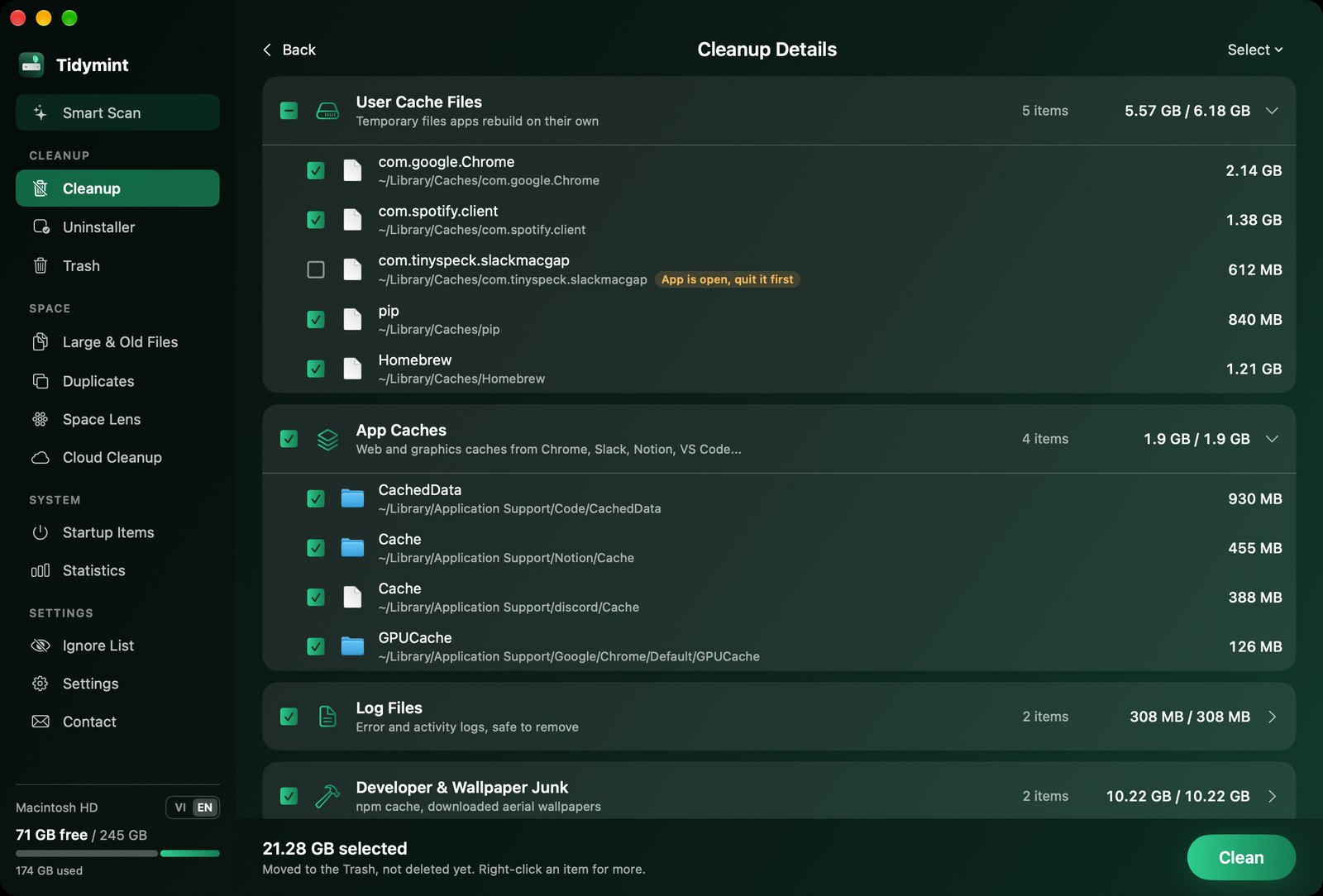
Review every item before cleaning

Caches, logs, npm cache, old downloads and drafts in your project folders, grouped and sized. Expand any group and tick or untick single items.

  • Apps that are still open are flagged and left unticked
  • Old downloads are never pre-selected
Cleanup details with checkboxes

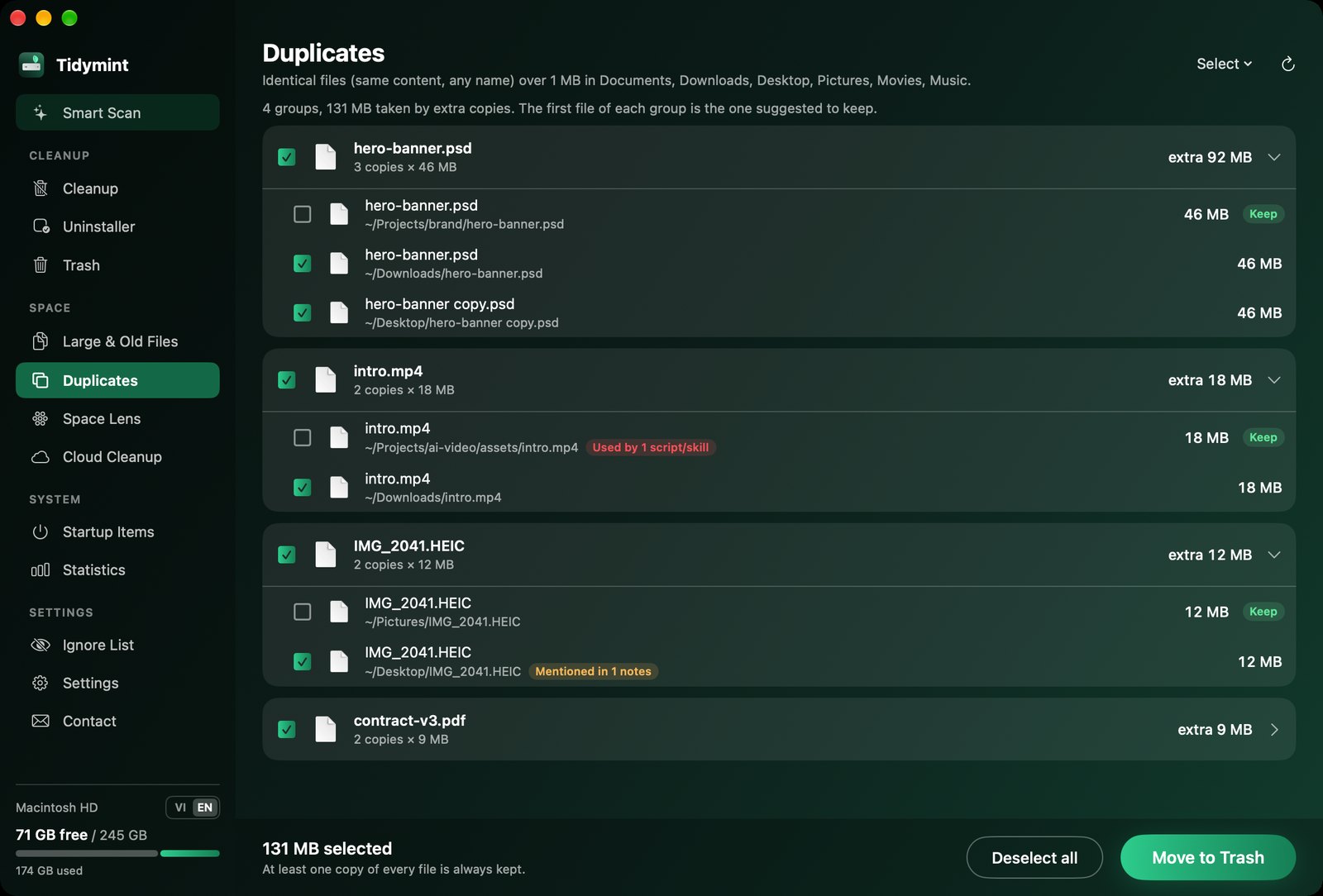
Duplicates without the risk

Identical files are found by content (SHA-256), whatever their name. The best copy is marked Keep, one click selects every extra copy.

  • Before deleting, Tidymint checks your project folders
  • Files still used by a script or skill are flagged red and unticked for you
Duplicate files grouped, with Keep labels

See where the space went

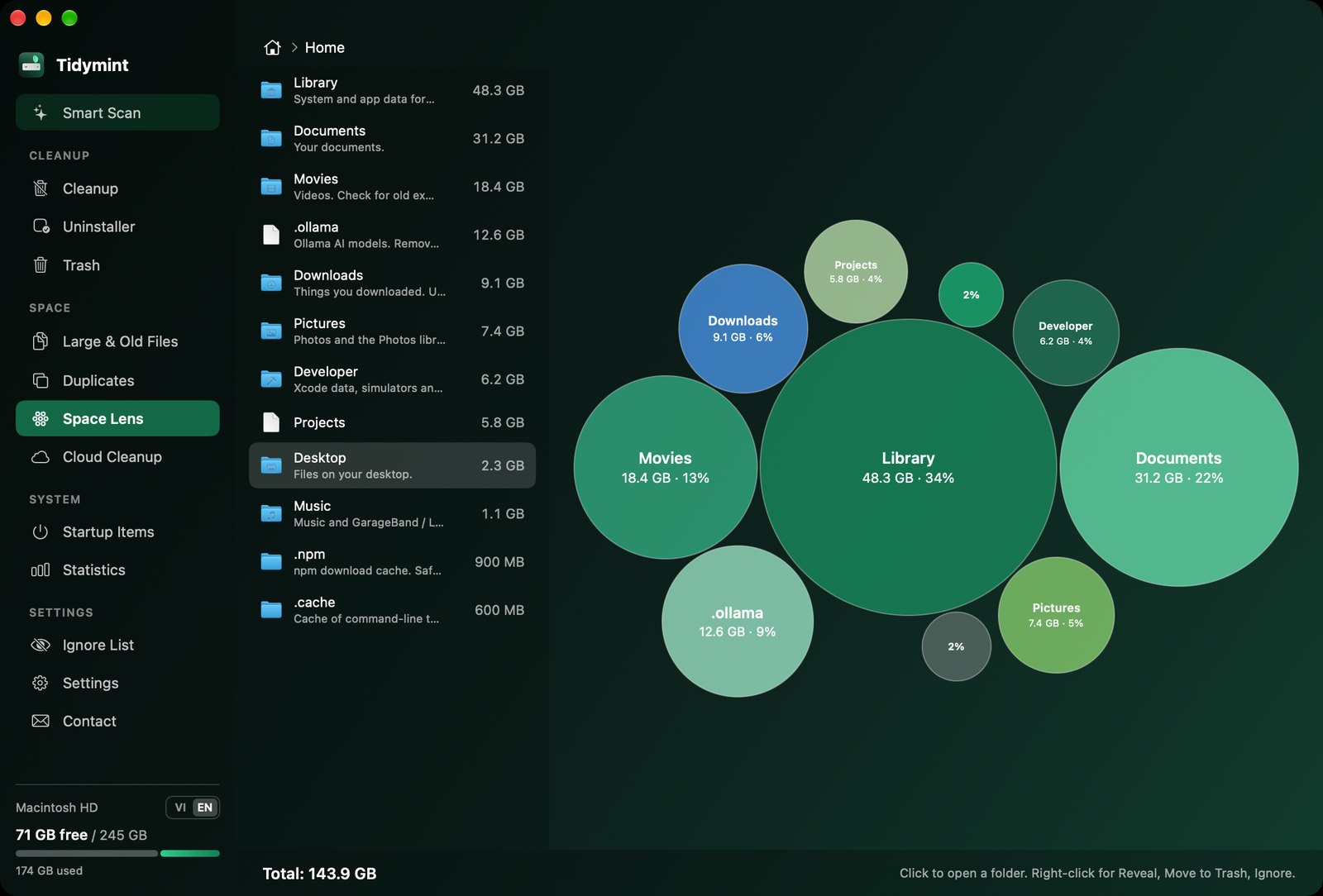
Space Lens draws every folder as a bubble sized by real disk usage, with plain-language notes for common folders, including AI model folders like .ollama and Hugging Face caches.

Space Lens bubble map

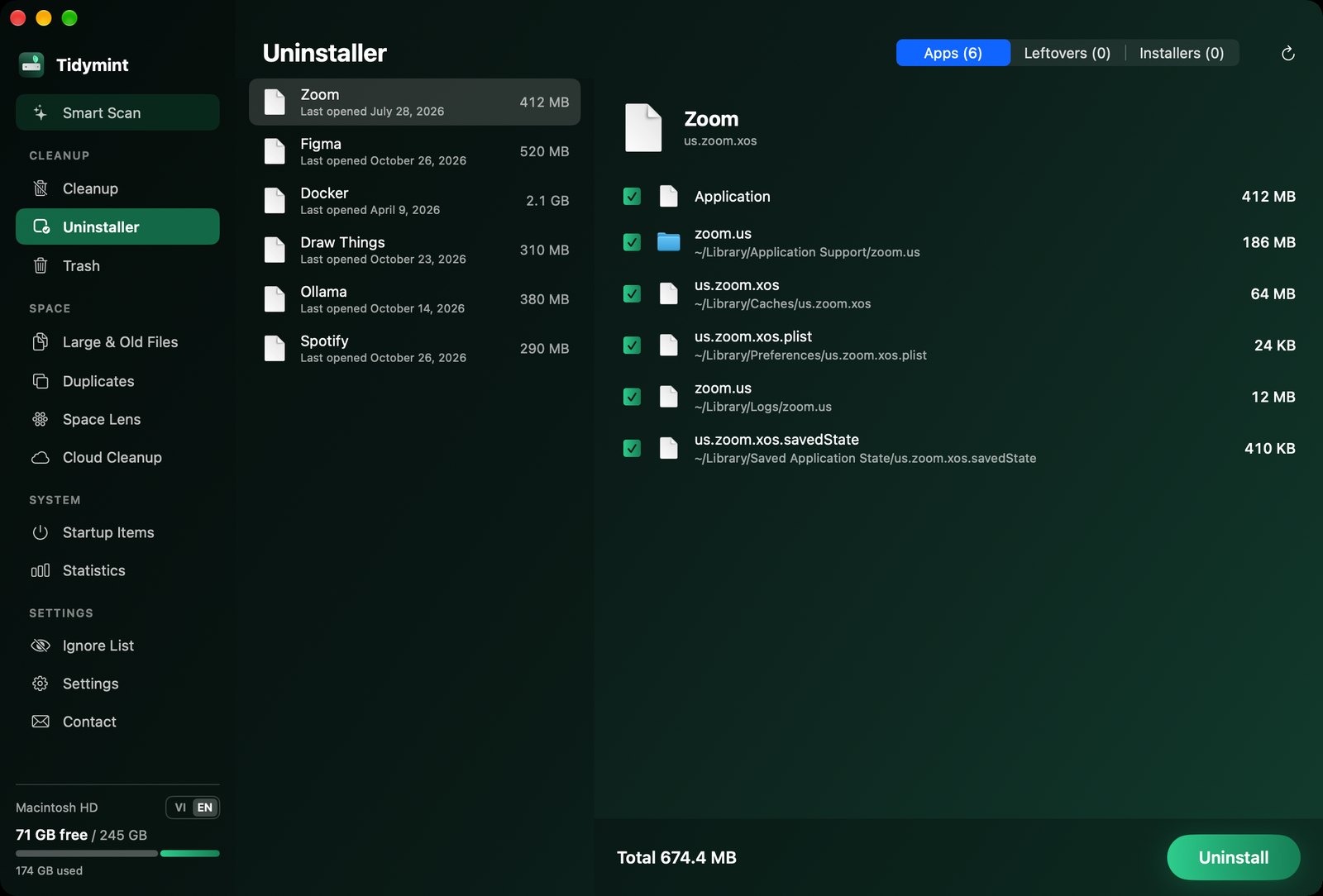
Uninstall apps completely

Removing an app also removes its caches, preferences, logs and saved state. Leftovers from apps you already deleted and old installers get their own tabs.

Uninstaller showing an app and its leftovers

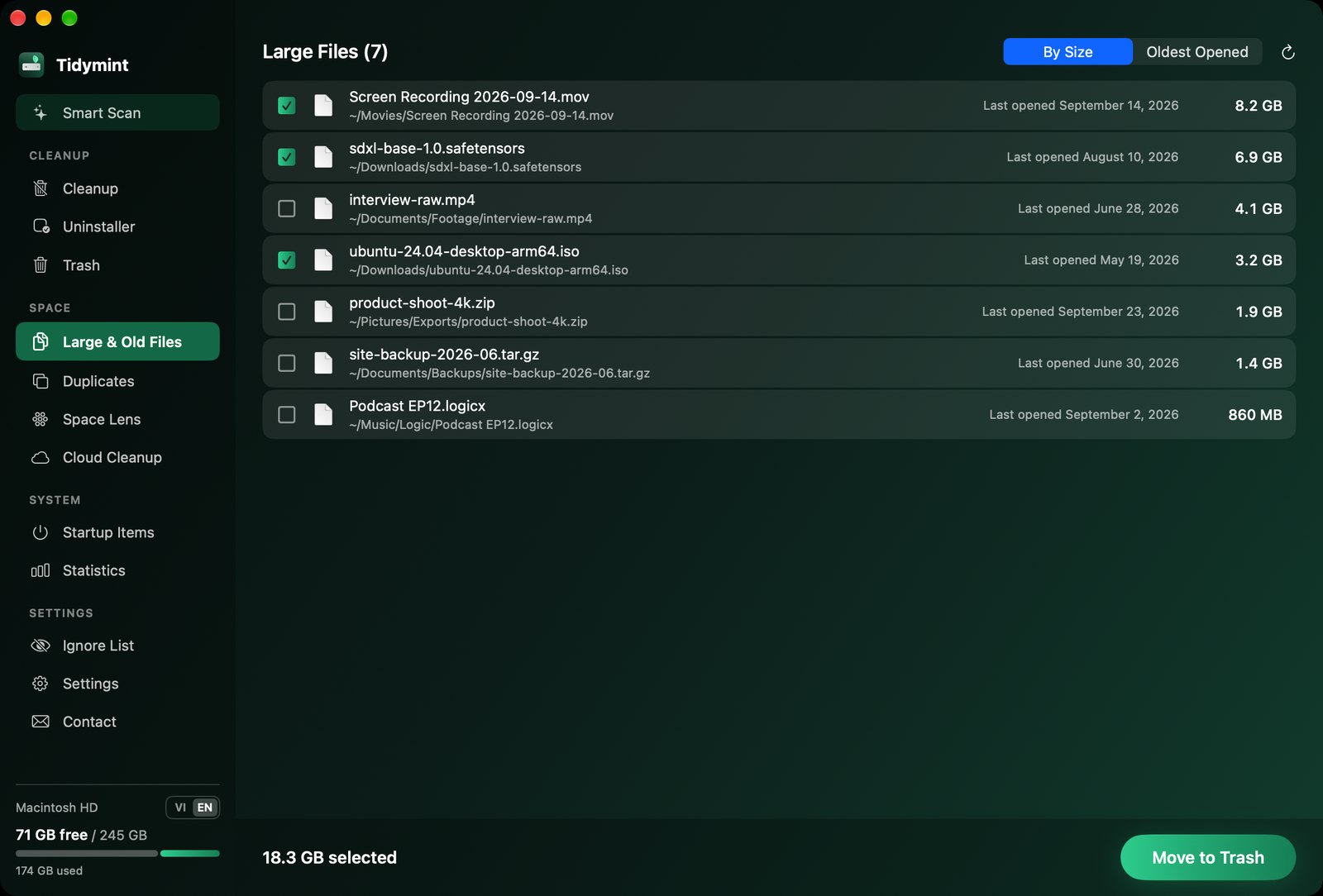
Large and old files, never pre-selected

Files over 100 MB, sorted by size or by when you last opened them. Screen recordings, model weights, ISO images: you pick what goes.

Large files list
Cloud CleanupSee how much of iCloud Drive, Google Drive or Dropbox is stored on this Mac.
Startup ItemsBackground helpers that start with your Mac, including leftovers from removed apps.
Menu bar monitorFree space, RAM and Trash at a glance, with low-space alerts.
StatisticsSpace freed over time and a full activity log.
English and VietnameseFollows your Mac's language. Five colour themes.
Ignore listAnything you never want touched stays off every scan.

Built to be safe

A cleaner should never surprise you.

Trash first, alwaysNothing is deleted permanently. You empty the Trash yourself, after a confirmation.
Hands off what mattersPhotos, Mail, keychains, cloud storage roots and Apple system caches are never touched.
Private by designRuns offline. Nothing leaves your Mac unless you send feedback. Privacy

Install

Tidymint needs macOS 14 or later. A signed, one-click download is on the way. Today you can build it from source in about a minute:

xcode-select --install          # once, if you don't have the Command Line Tools
git clone https://github.com/HaiTrung-Workspace/tidymint.git
cd tidymint && ./build.sh --install

Then open Tidymint from Applications and allow Full Disk Access in System Settings > Privacy & Security, so it can measure every folder.