Your Mac is full.
Let’s find out why.
A free, open-source Mac cleaner that tracks nothing. See exactly what fills your disk, free up gigabytes, and undo any clean: everything goes to the Trash first.
See the evidence →
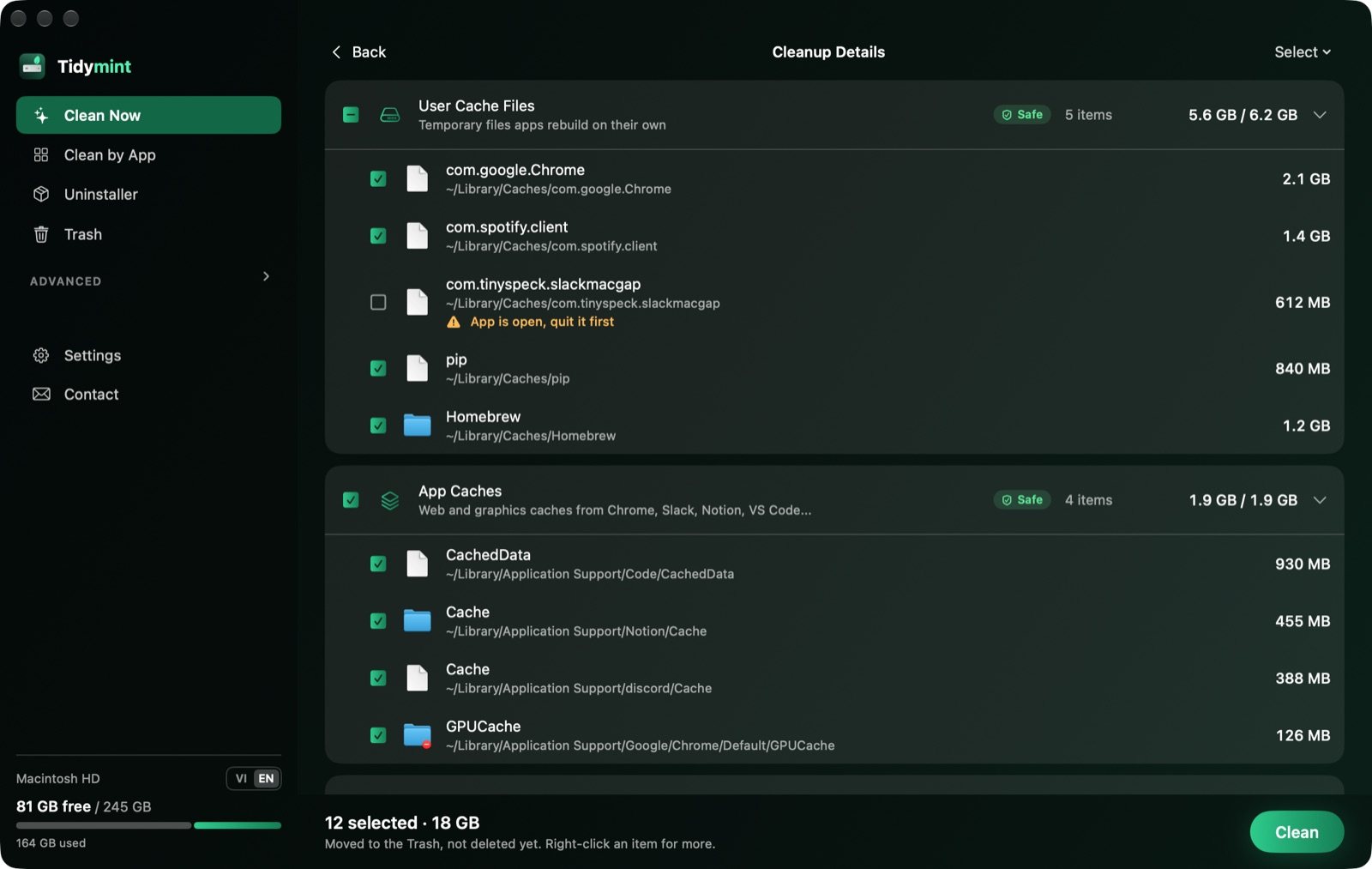
Three common worries, and how we solve them
Everything you need to win back space
Six tools for the jobs that fill a Mac, plus a few small helpers. Each one shows you first and cleans only when you say so.
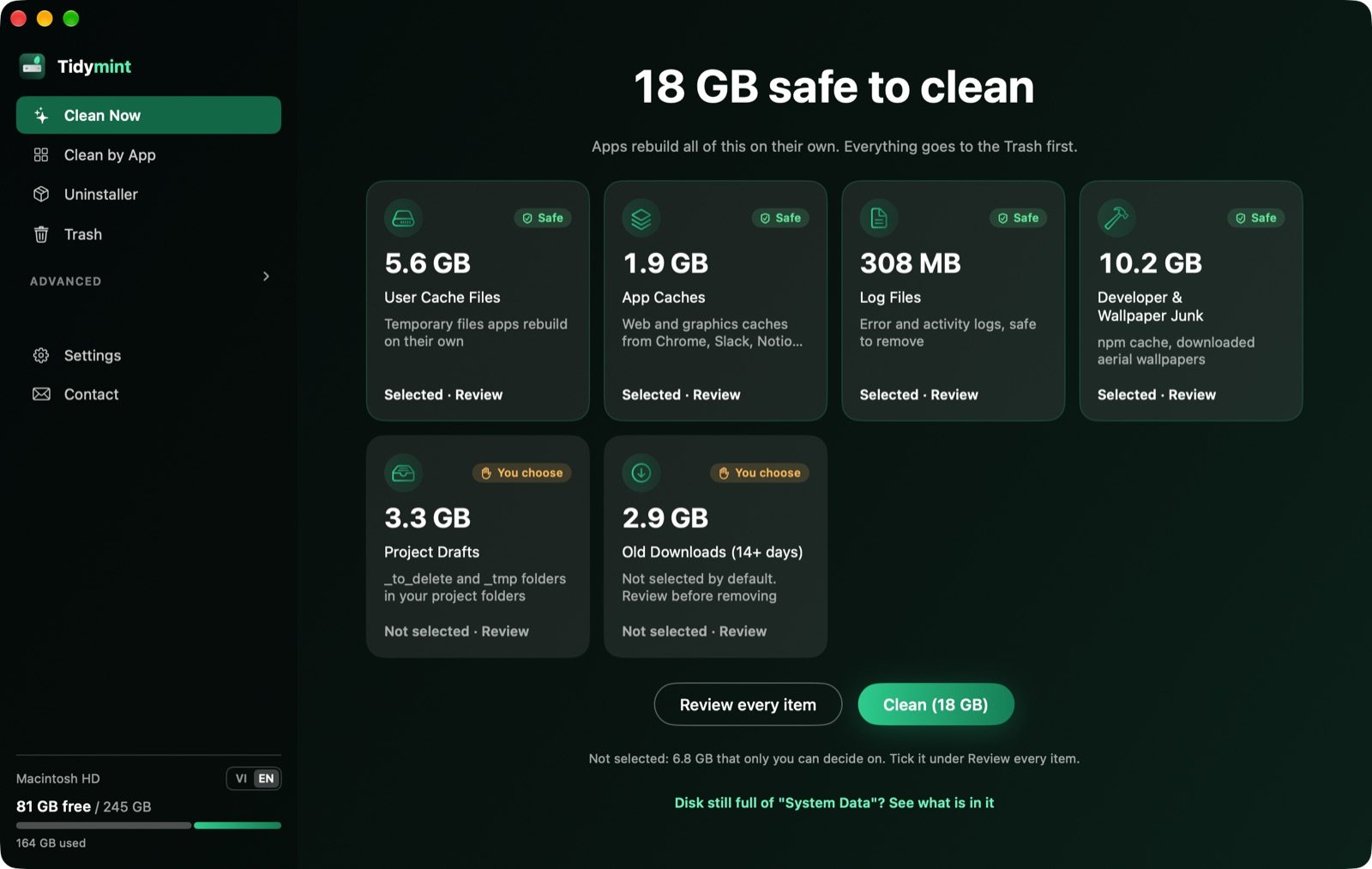
Free up space in one click
One scan finds caches, logs and old installers, sorted by size. Nothing moves until you press Clean.
- Grouped and explained in plain words
- Safe items pre-selected, the rest left to you
- Apple system caches are never touched
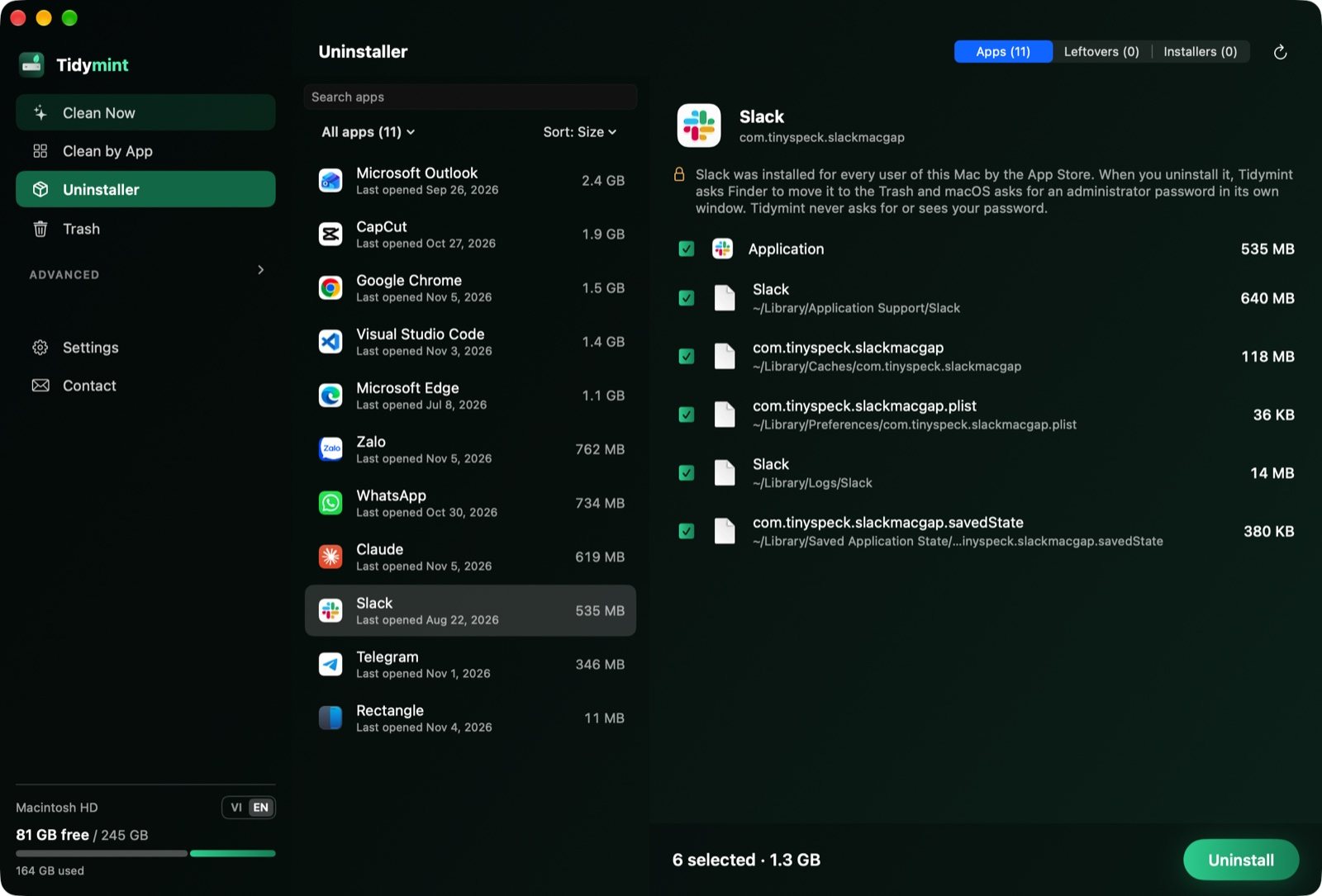
Uninstall apps, leftovers included
Dragging an app to the Trash leaves its caches and support files behind. Tidymint removes those too.
- Finds caches, preferences and support files
- Anything holding a database is left to you
- Everything always goes to the Trash first
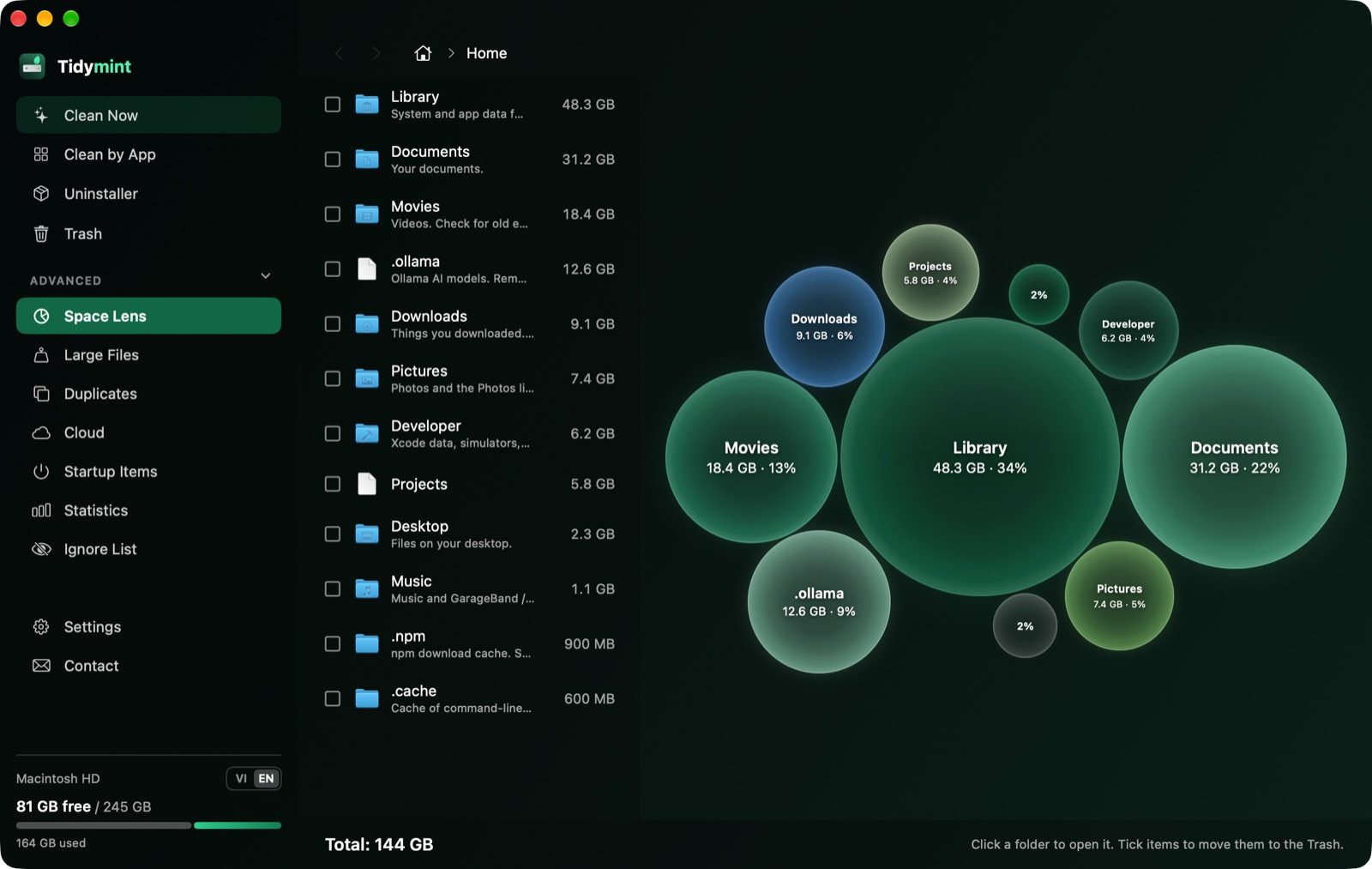
See what is really eating your disk
A bubble map of your whole drive. Bigger bubble, bigger folder. Click to dig in.
- Plain notes for common folders
- Shows System Data you cannot see in Finder
- Great for “full, no idea why”
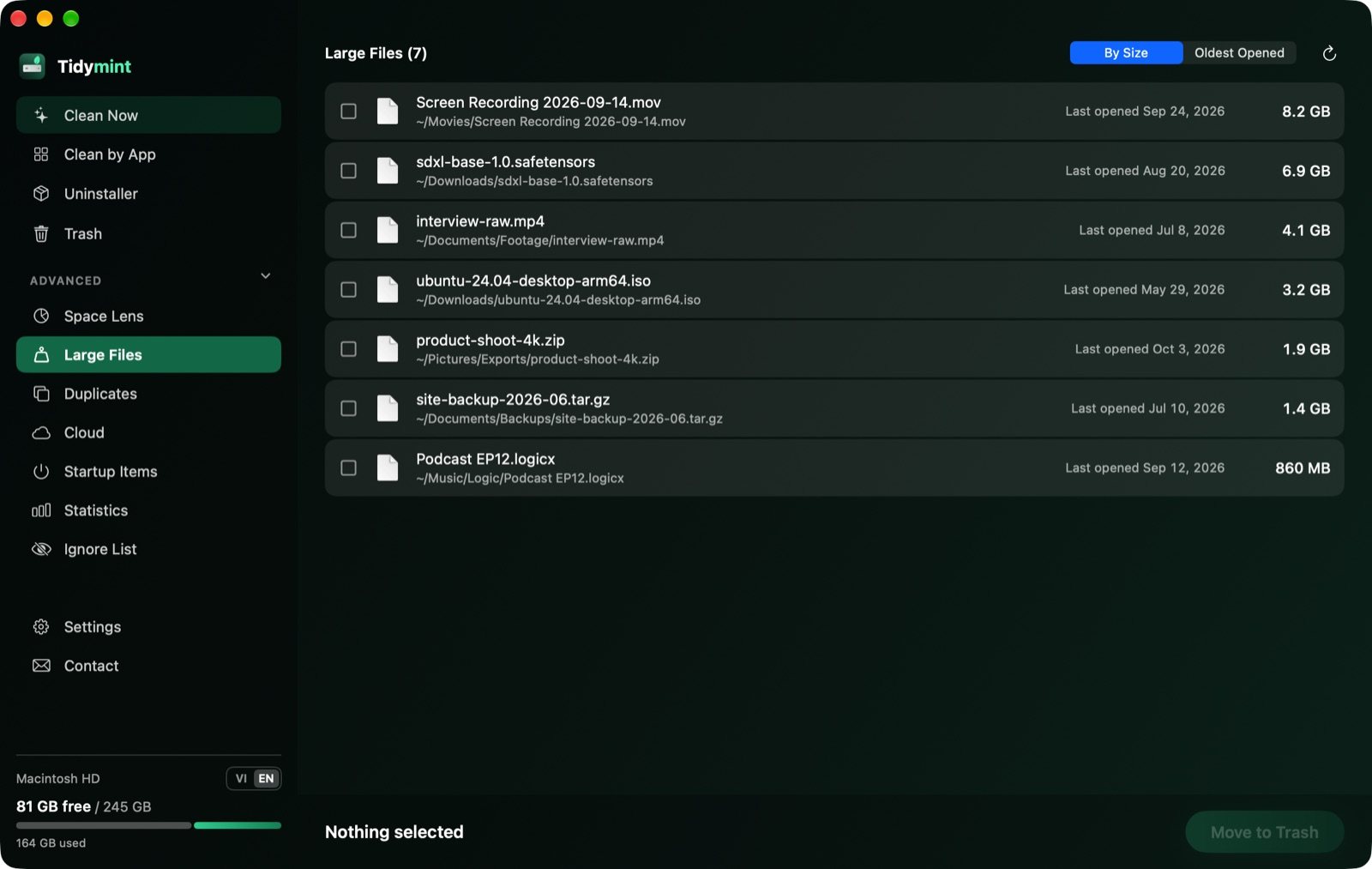
Find the big, forgotten files
Old exports, disk images and downloads you forgot about. Sort by size or by last opened.
- Everything over 100 MB in one list
- Never pre-selected, you pick what goes
- Full path shown, so you know where each file came from
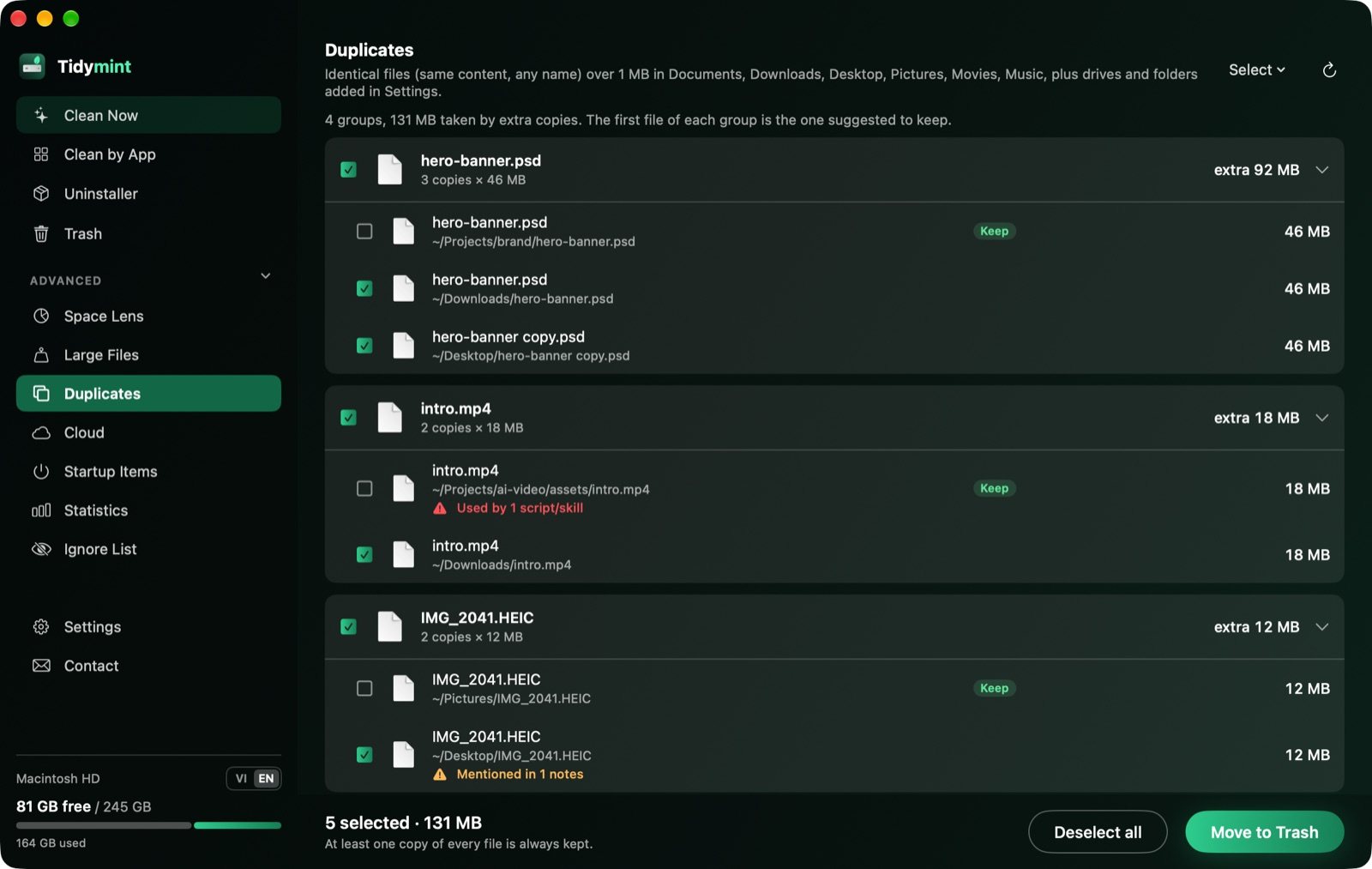
Remove duplicates without breaking projects
Files are matched by content and one copy is always kept. Copies still used by a script in your project folders are flagged and skipped.
- Matched by content, not by name
- One copy always kept
- Files your projects use are protected
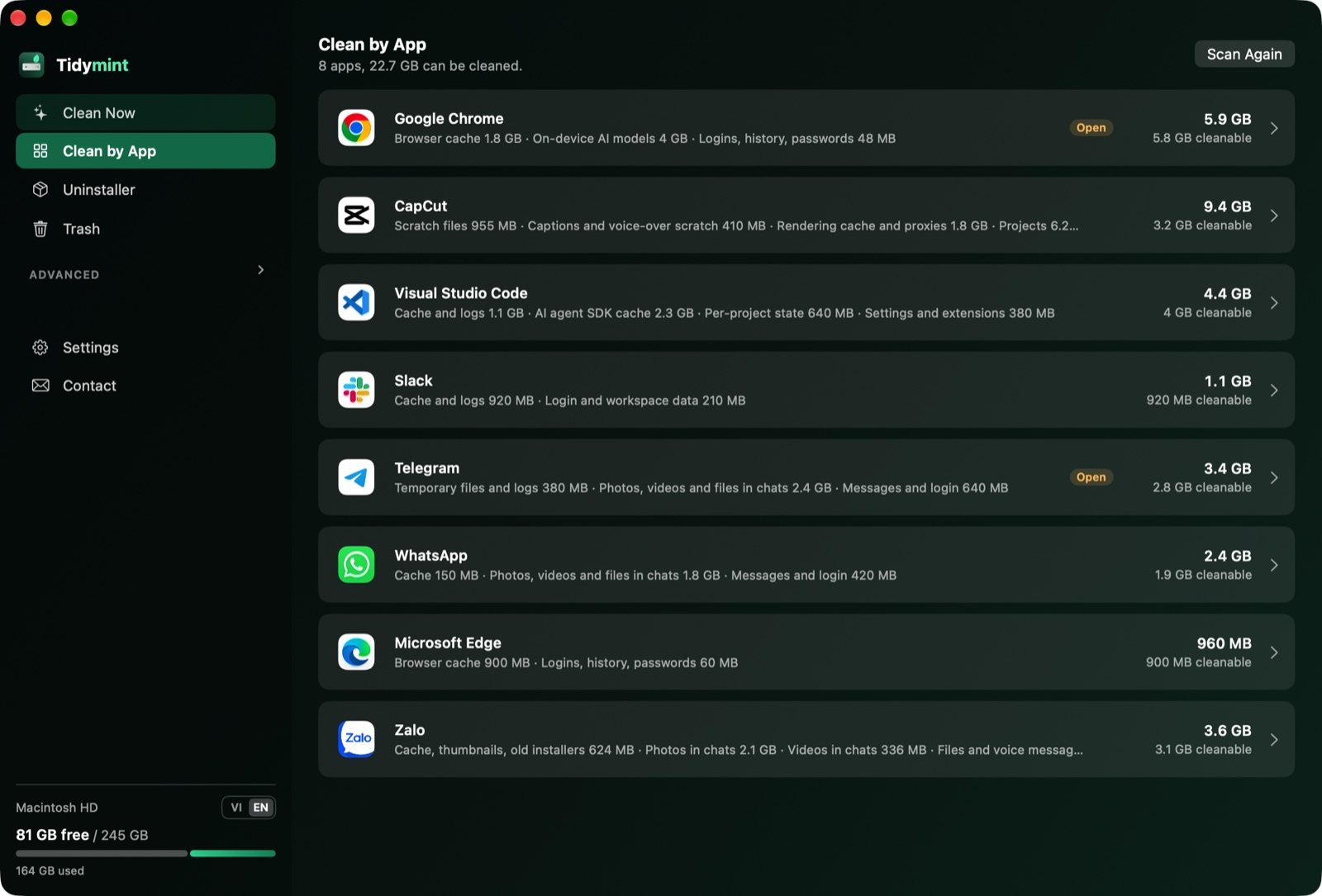
Clean app by app, keep what matters
Browsers, chat apps and video editors pile up gigabytes of cache. Clean them one app at a time.
- Chrome, Edge, Slack, VS Code, Telegram, CapCut and more
- Caches ticked, messages and logins never read or touched
- Chat photos and files grouped by month, you choose what stays
UndoEvery clean is recorded. One click puts the last run back while it is still in the Trash.
Startup ItemsSee every app running in the background, with a flag on odd names or locations.
Menu bar monitorA mint leaf in the menu bar fills as your disk fills, next to free GB. Alerts when disk or memory runs low. Light enough to leave running all day.

Nine tools. One small, free app.
No account, no subscription, no tracking. Download it, scan, and see what you get back.
Download free ↓Three steps, you stay in control
A cleaner you can actually trust
Typical paid cleaners
- Paid licence or subscription, major upgrades often cost extra
- Closed source: you cannot see what it deletes
- Some push a purchase with alarming warnings
- Cracked copies are a common way to get malware
Tidymint
- Free, with no account and no subscription
- Open source (MIT): anyone can read every line
- No scare alerts, no “free up RAM” button
- Only moves items to the Trash, you empty it yourself
Full comparison: free CleanMyMac alternatives · Guide: how to clear System Data on Mac
Who fills their Mac the fastest
Nothing hidden, nothing to sign up for
Tidymint is a small open-source project. You can read the code, follow every release and report a bug in public.
What is “System Data” on a Mac?
In System Settings › General › Storage, macOS groups everything it cannot sort into a category called System Data. It often grows to tens of gigabytes and is hard to inspect from Finder.
- App and browser caches, logs and temporary files
- Leftovers from apps you already deleted
- Local Time Machine snapshots and old installers
- For AI work: model weights and package caches
Tidymint shows which of these have grown large on your Mac and moves safe caches, logs and app leftovers to the Trash. Time Machine snapshots are left to macOS, which removes them when space runs low.
Before you download
Is Tidymint really free?
Free forever. It is open source under the MIT licence, with no account, no subscription and no paid tier.
Is it safe?
Tidymint only moves items to the Trash and Undo puts the last clean back. Photos, Mail, keychains, cloud folders and Apple system caches are never touched.
Where do I download it safely?
Only from tidymint.app or the GitHub releases page. Tidymint has no other website, no app store listing and no paid version. Anything else is not us.
Why does macOS block it the first time?
Tidymint is not notarized by Apple yet (that needs a paid developer account). Open it once via System Settings › Privacy & Security › Open Anyway. The source is public on GitHub.
Does it send my data anywhere?
No files and no personal data. The only automatic connection is a once-a-day check for a new version: it asks update.tidymint.app for a version number and is counted by app and macOS version only, with no IP or ID kept. You can turn it off in Settings. Anything else leaves your Mac only when you send it yourself, such as feedback.
How does the duplicate check protect my projects?
Add your project folders once in Settings. Before deleting duplicates, Tidymint searches those folders: any file still named in a script or skill is flagged in red and unticked. Without project folders the app reminds you first.
How is it different from CleanMyMac?
Tidymint is free and open source and focuses on cleaning and disk space. It has no scanner of its own and relies on the protection built into macOS (XProtect, Gatekeeper); CleanMyMac bundles its own and charges a subscription.
Does it have a “free up RAM” button?
No. macOS manages memory on its own, and forcing it empty tends to make a Mac slower, not faster. If you turn it on, the menu bar icon simply tells you when more than 90% of memory is in use.
Which Macs are supported?
macOS 14 or later, on both Apple silicon and Intel.
Is there a Windows or iPhone version?
A Windows version is in development, no release date yet. iPhone: no, iOS does not let apps clean other apps' data.
Install
macOS 14 or later, Apple silicon and Intel.
Steps from Apple: Safely open apps on your Mac. Source code and build steps are on GitHub.
- 1
Download
Click Download Tidymint, open Tidymint.zip in Downloads and drag Tidymint to Applications.
- 2
First launch
Double-click Tidymint. When macOS says it cannot be opened, click Done.
- 3
Allow it
Open System Settings › Privacy & Security, scroll to the Security heading and click Open Anyway, then confirm with your password. Step-by-step guide with screenshots.
- 4
Full Disk Access optional
In Privacy & Security, open Full Disk Access and turn on Tidymint, so Mail, Messages and Library are measured too. How.
Keep your Mac in mint condition.
Free, open source, and everything always goes to the Trash first.
Get updates
Mac tips and new releases, at most one email a month.
Get the latest updates. Unsubscribe any time.
 Tidymint
Keep your Mac in mint condition.
Free, open-source Mac cleaner. Official site: tidymint.app, downloads only from GitHub.


